
Skip to content

See the difference

Same Home Assistant install.Same Home Assistant
install.

Organized like a home.

Home Assistant exposes raw entities and integrations. Lovelacer reads your registry, infers rooms, and generates a clean dashboard you can preview before applying.

Real screenshots from a Czech Home Assistant install. Your dashboard will use your own rooms, entities, and language.

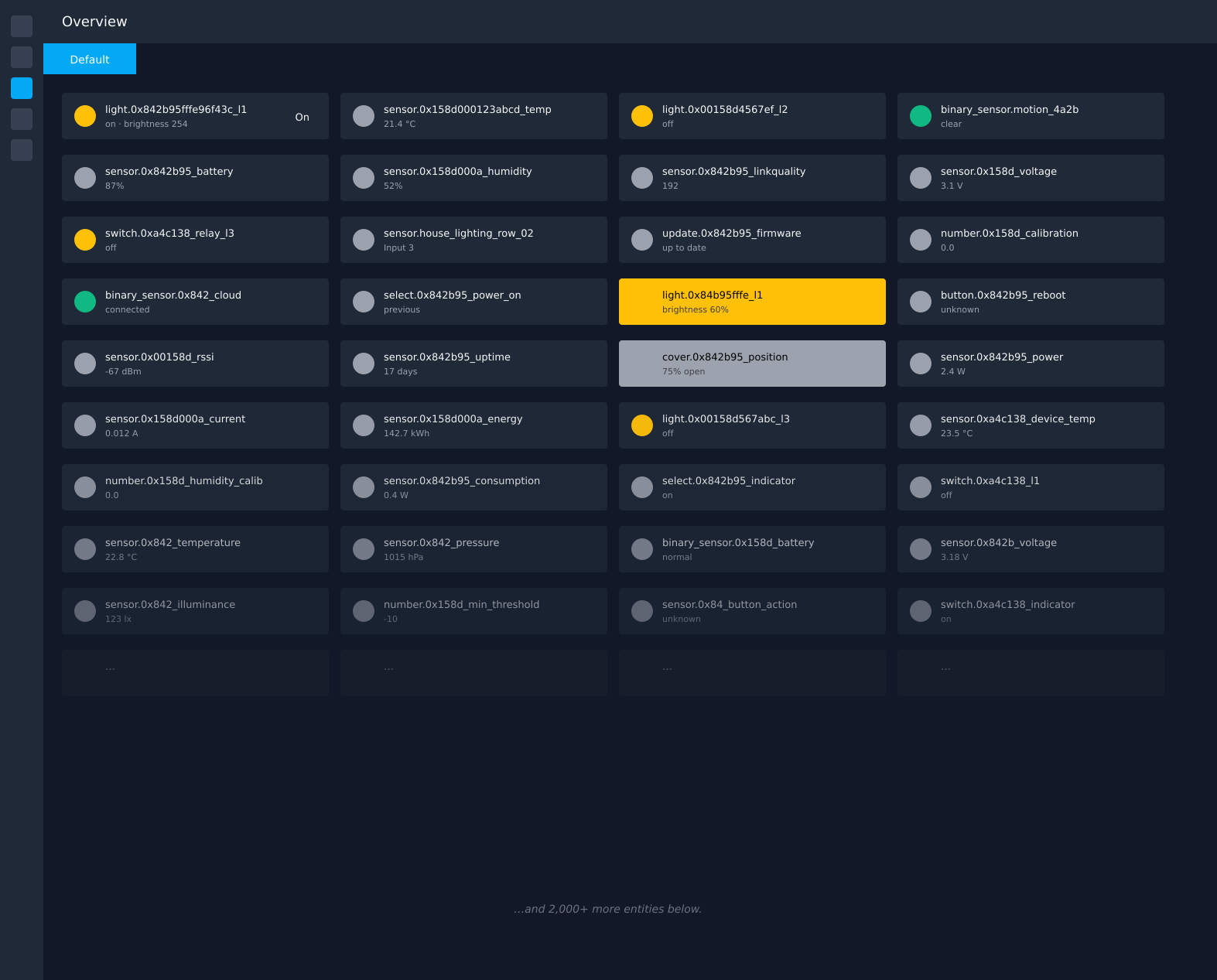
BeforeHome Assistant's default auto-generated dashboard
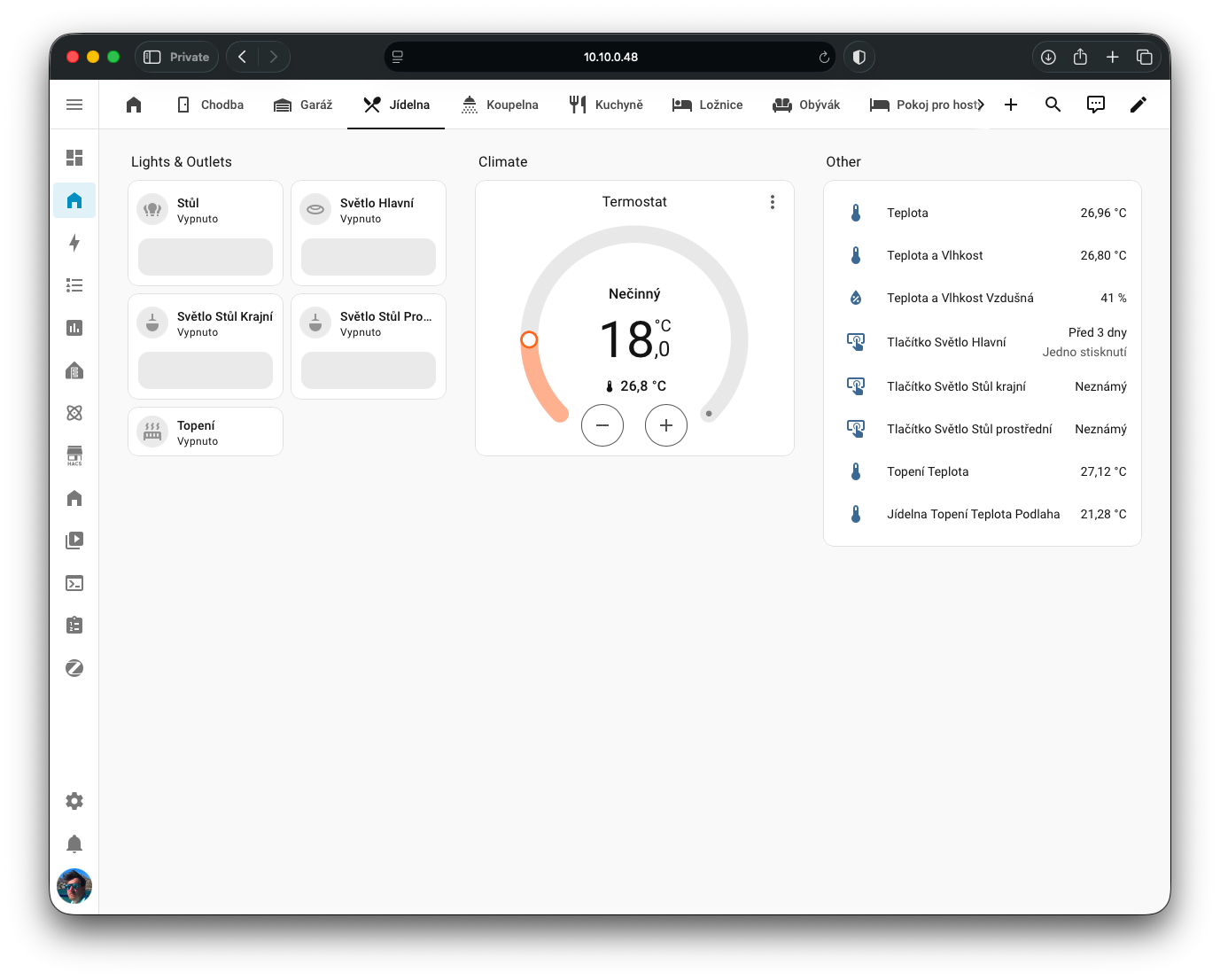
AfterA clean Lovelacer-generated Home Assistant dashboard view

What you get

A useful starting dashboard. And the tools to keep it that way.

01

Rooms detected from your Home Assistant setup

Lovelacer uses Home Assistant areas when available, then falls back to room-name detection for entities that were never properly assigned. Every placement includes a confidence score, so you can review uncertain matches before applying.
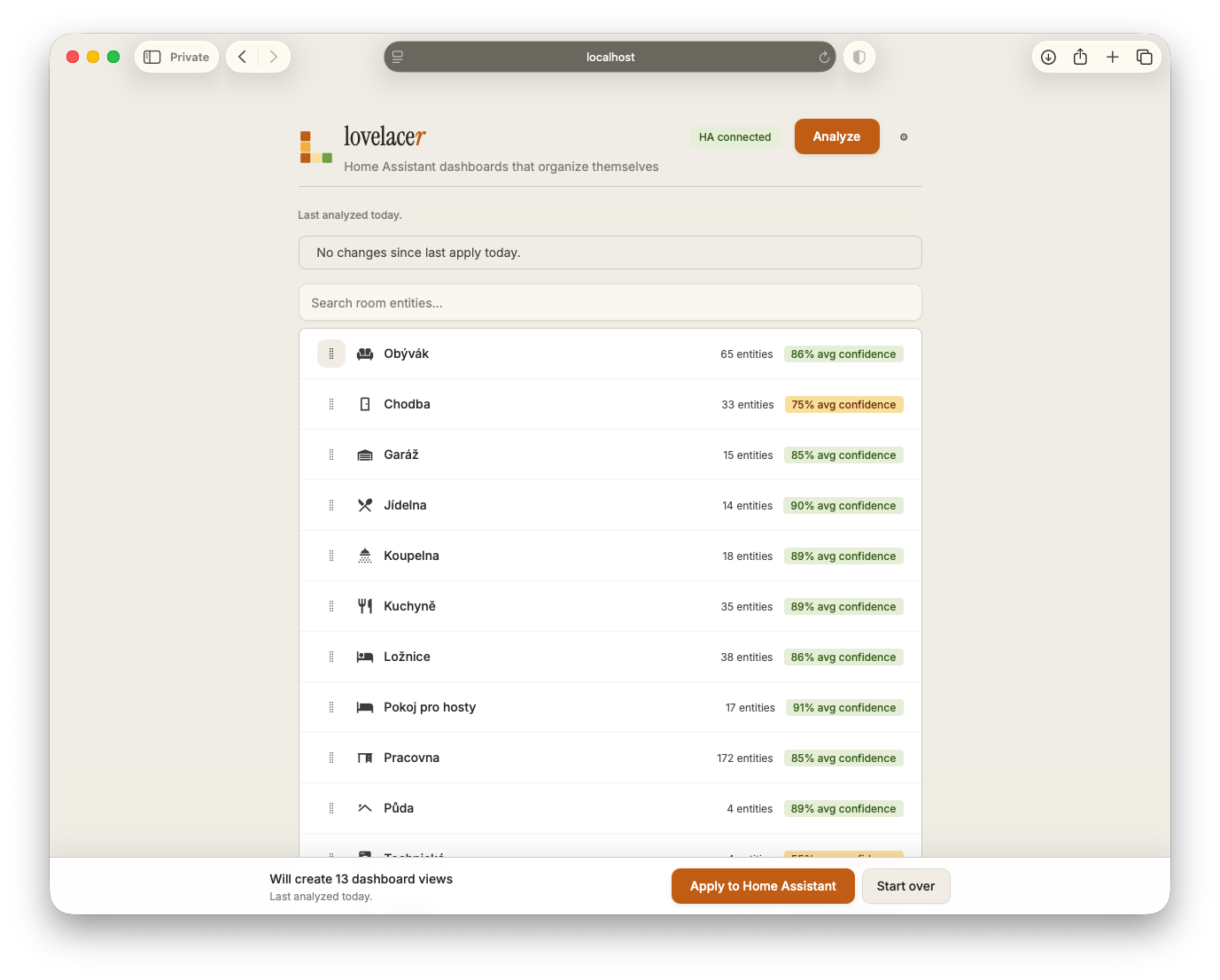
Lovelacer room list showing 13 rooms detected from a Czech HA install, each with entity count and confidence percentage
02

Preview every change before you apply

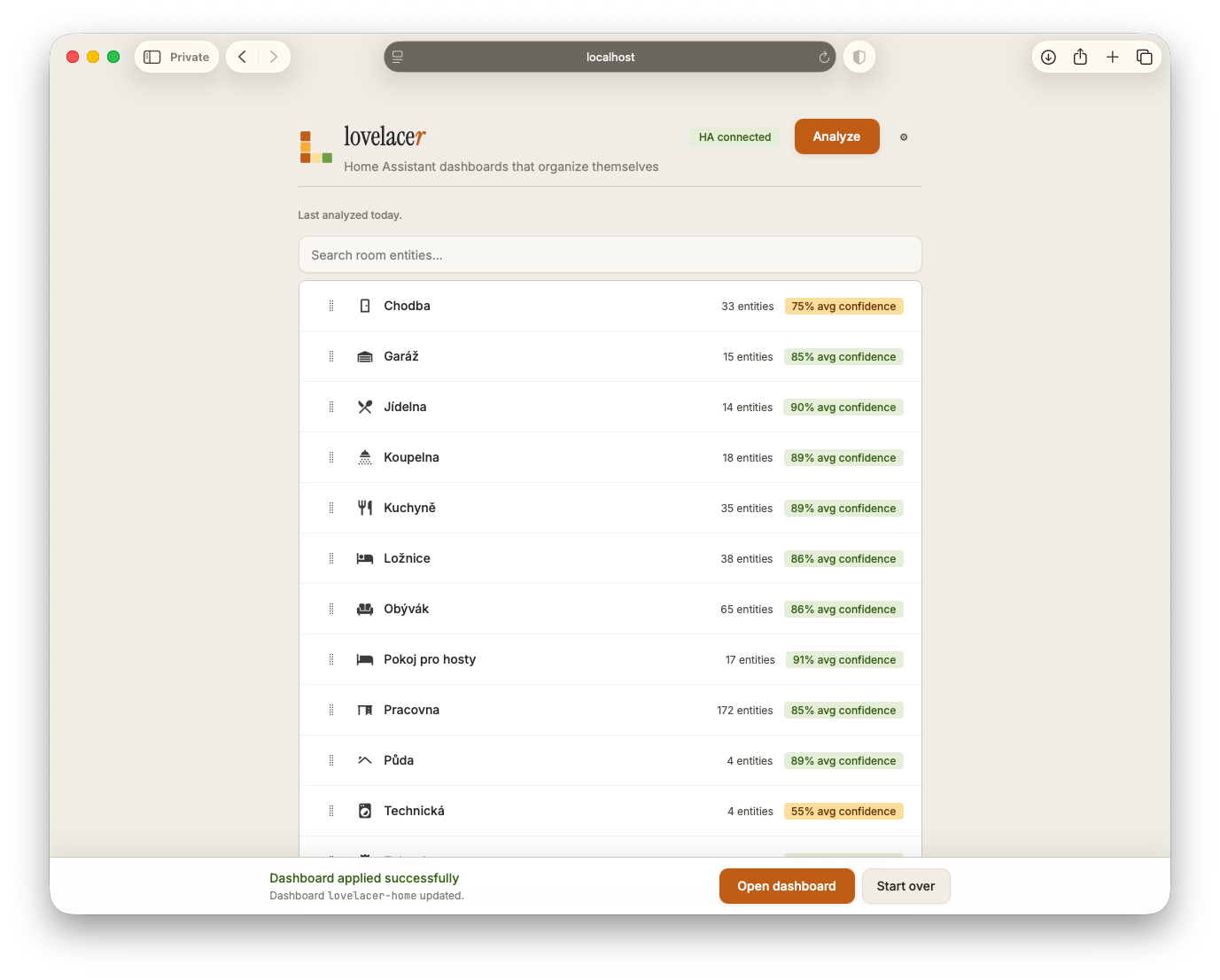
Re-running analysis shows what changed: new entities, moved entities, and removed entities. Nothing is written to your dashboard until you click Apply.

Room list view after applying with a success banner at the bottom
03

Suggestions for fixing entity chaos at the source

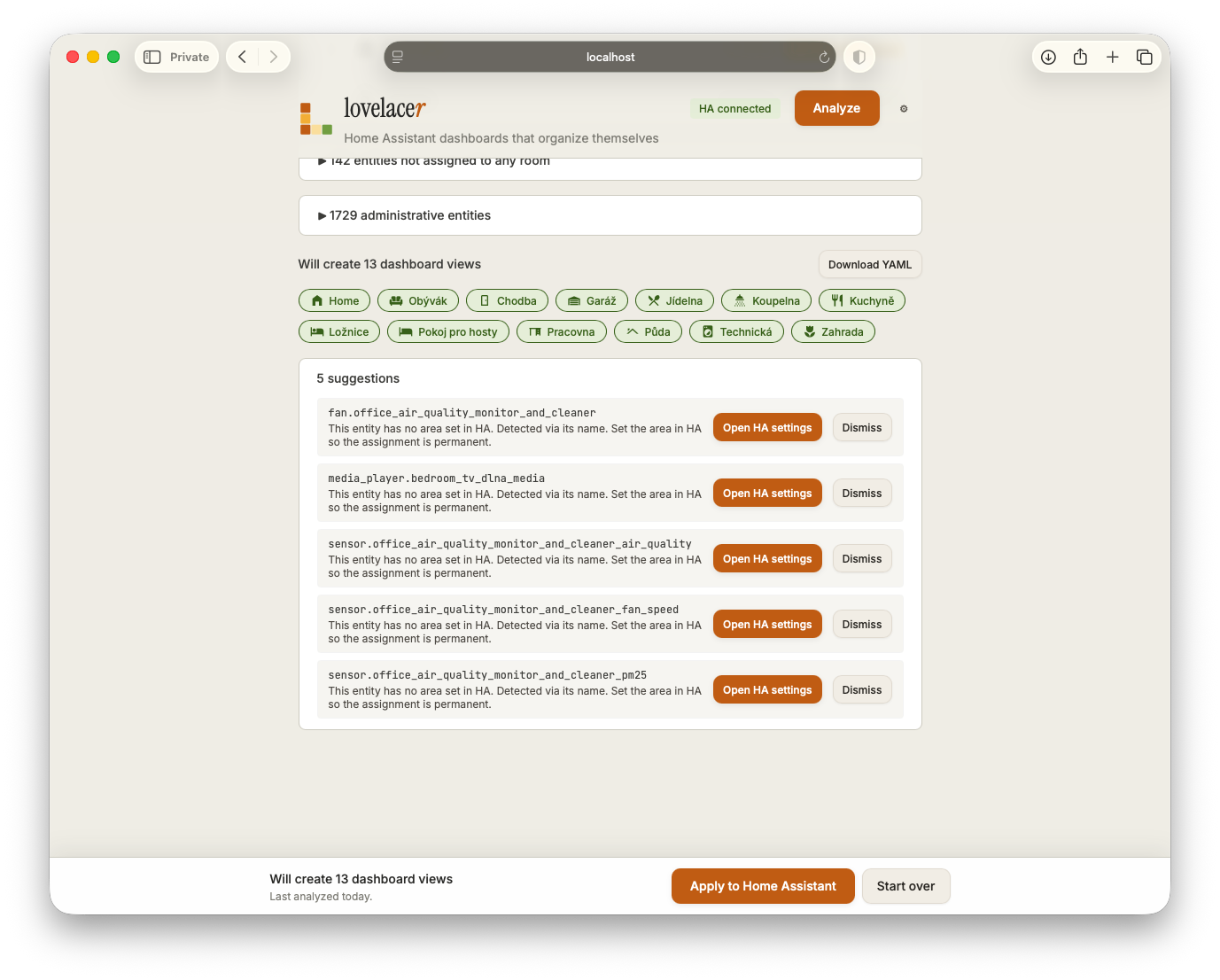
When Lovelacer can confidently place an entity but Home Assistant still has no room assigned, it suggests fixing the underlying area configuration. Cleaner entities lead to cleaner dashboards over time.

Suggestions panel showing five entities with detected rooms but missing area_id, each with an "Open HA settings" button

How it works

Three steps. Reversible at every one.

  1. 01

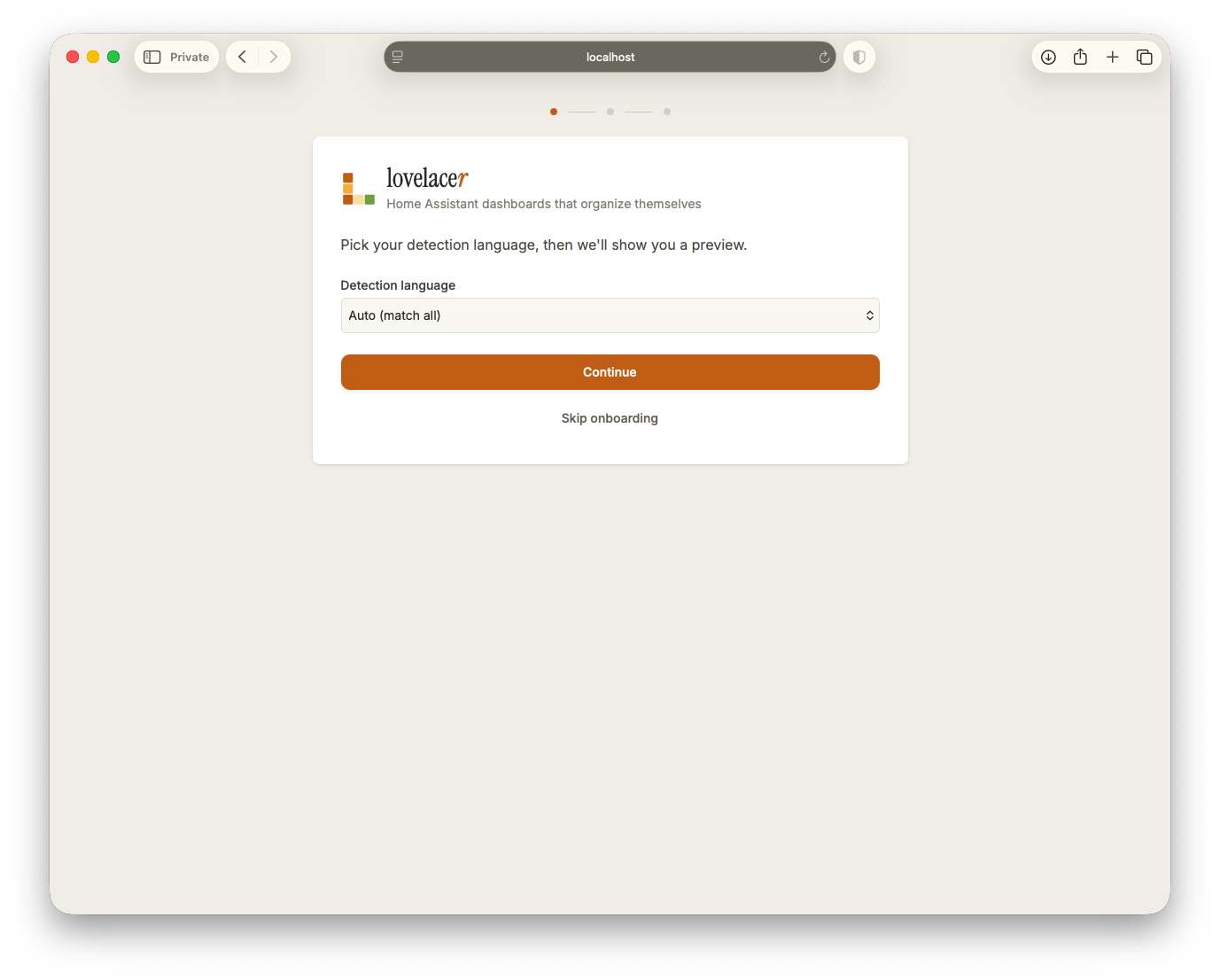
    Open Lovelacer from your Home Assistant sidebar

    Lovelacer installs as a Home Assistant add-on and opens directly inside HA. No separate login, no exposed ports, no external service required.

    Standalone Docker support is available for Home Assistant Core users.

    Lovelacer first-run onboarding screen asking the user to pick a detection language
  2. 02

    Review the proposed rooms

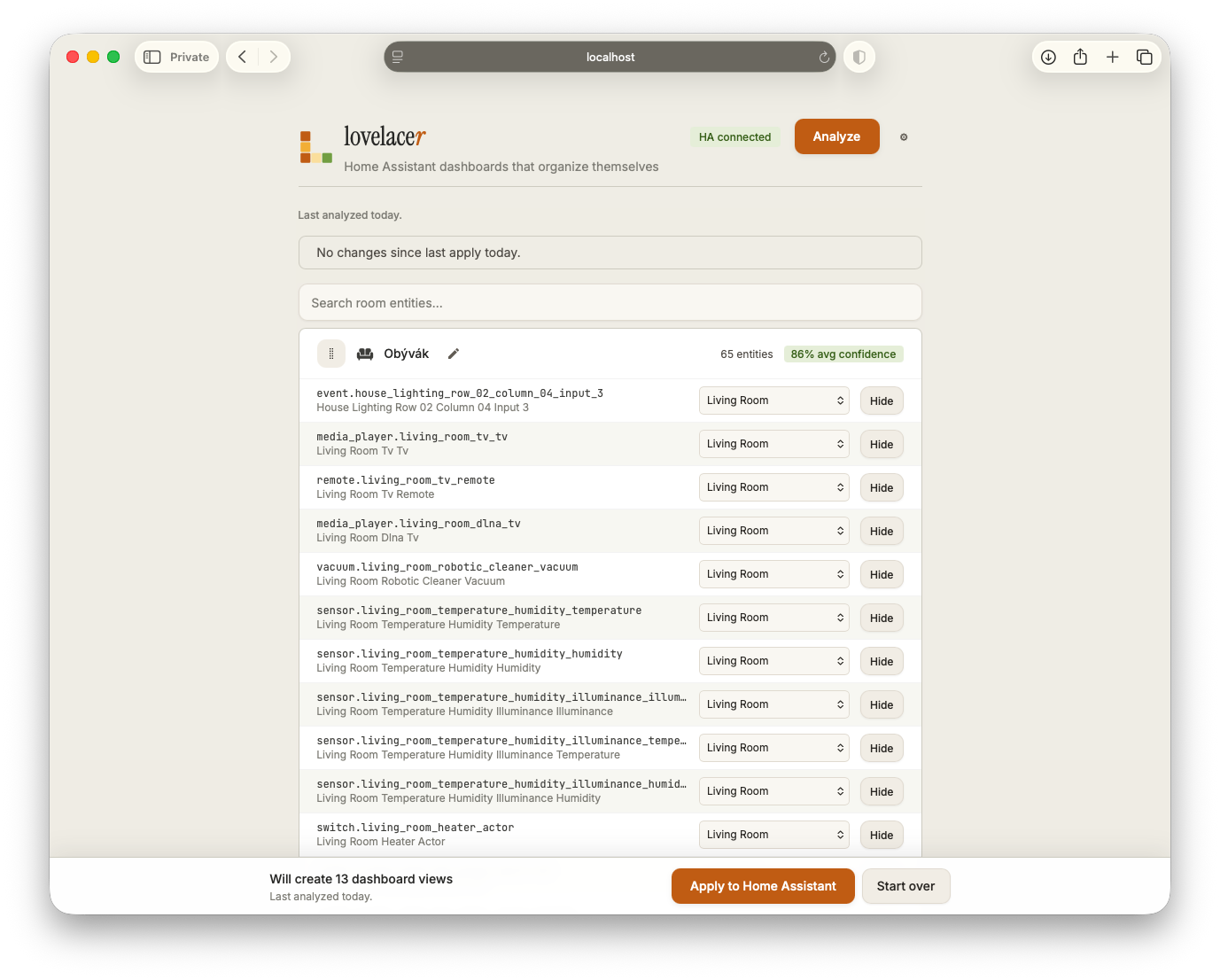
    Lovelacer groups entities by room, scores uncertain matches, and lets you review everything before applying. Rename rooms, change icons, move entities, or hide things you don't want on the dashboard.

    Per-entity override panel showing each entity in a room with a dropdown to reassign and a hide button
  3. 03

    Apply and open it in Home Assistant

    Lovelacer creates a separate dashboard using Home Assistant’s native storage mode. Your existing dashboards stay untouched, and nothing is overwritten unless Lovelacer created it originally.

    The applied dashboard in HA, showing the Jídelna view with Lights, Climate, and Other sections

By the numbers

One install. One run.

2,000+
entities reviewed
13
organized rooms
89%
high-confidence assignments
< 5 min
from install to applied dashboard

Based on a real Home Assistant install with multiple integrations and years of accumulated entities. Your results depend on how clean your existing setup already is.

The hard parts

Worth pointing out the parts most "dashboard generators" skip.

  • Eight languages out of the box

    Room detection works across English, Czech, German, Spanish, French, Italian, Polish, and Dutch. Lovelacer recognizes localized room names and falls back gracefully when integrations use inconsistent naming.

  • Confidence scoring on every assignment

    Every placement includes a confidence score and the signals behind it — Home Assistant areas, device metadata, friendly names, and entity IDs. When something looks wrong, you can immediately see why.

  • Suggestions for fixing entity chaos at the source

    If Lovelacer confidently identifies a room but Home Assistant still has no area assigned, it suggests fixing the underlying configuration instead of repeatedly guessing around it.

  • Diff before apply, never destructive

    Re-running analysis shows additions, removals, and moved entities before anything changes. Lovelacer creates a separate dashboard and never overwrites your existing views.

  • AI is optional, not the product

    The base product is fully local and heuristic-driven. Future AI-assisted features remain opt-in and support local Ollama models for users who prefer keeping everything inside their network.

  • Standalone Docker support

    Lovelacer runs as a Home Assistant add-on by default, but the same image also works standalone for Home Assistant Core and Container users.

Under the hood

The hard stuff, where you can see it.

Heuristic-first

Lovelacer starts with Home Assistant’s own structure — areas, device metadata, friendly names, and entity IDs — then combines those signals into a confidence score you can review per entity.

area_id → device.area_id → friendly_name → entity_id → device.name

Multi-language room detection

Room detection works across English, Czech, German, Spanish, French, Italian, Polish, and Dutch. Localized room names like kuchyně, Wohnzimmer, cocina, or cuisine still land in the right place.

kuchyně · Wohnzimmer · cocina · cuisine

Local-first by default

The base product runs entirely locally and never leaves your network. Optional AI-assisted features remain opt-in and support local Ollama models for users who prefer fully local workflows.

No telemetry. No cloud dependency. No phone-home behavior.

From one real install

Eight of the thirteen rooms Lovelacer found in a Czech Home Assistant install.

Same detection logic. Different home, different rooms, different language.

The screenshots across this page come from this install — real entities, real room names, real clutter.

Obývák
Living room
65 entities86% conf
Kuchyně
Kitchen
35 entities89% conf
Ložnice
Bedroom
38 entities86% conf
Pracovna
Office
172 entities85% conf
Koupelna
Bathroom
18 entities89% conf
Garáž
Garage
16 entities85% conf
Zahrada
Garden
26 entities86% conf
Chodba
Hallway
33 entities75% conf

Localized room names resolved automatically without any per-install configuration.

Where we are

Current release. Useful today.

Focused on one thing: generating cleaner Home Assistant dashboards from real-world installs.

Working today

  • Multi-language room detection
  • Confidence scoring per entity
  • Review and override workflow
  • Diff before re-applying
  • YAML export
  • Local-first operation
  • Standalone Docker support

Coming next

  • Optional AI-assisted suggestions
  • Mushroom card pack support
  • Smart Panel export targets
  • Additional languages and keyword packs
  • Better handling for large installs and edge cases

Bug? Missing language? Confusing behavior? Open an issue — issues from real users shape what we work on next.

MIT licensed. Built for Home Assistant users who want a cleaner starting point.